9. Adjustment by data category
The table action buttons allow you to define a common value for all selected data categories. When hovering the mouse, the applied value is displayed in a tooltip.
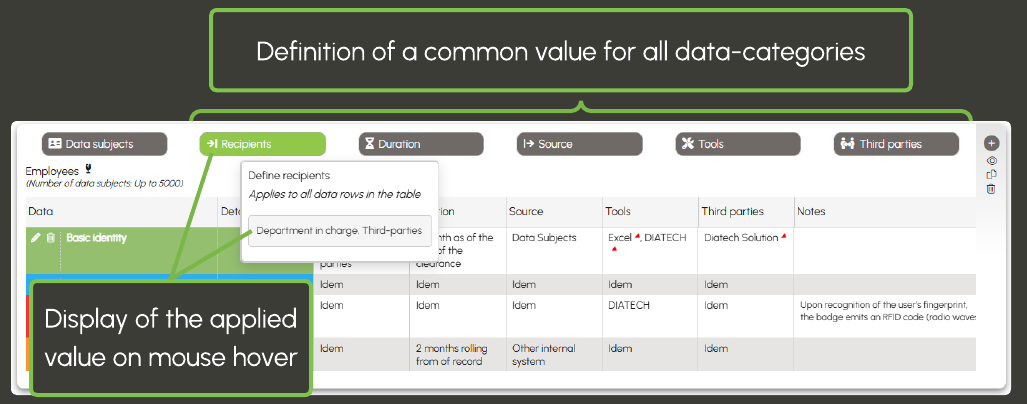
Warning: for Tools and Third Parties, selecting a common value beforehand is mandatory in order to perform subsequent adjustments. During the adjustment phase, only the common values defined for tools and third parties are available.
Two methods are available to adjust values by data category or add notes:
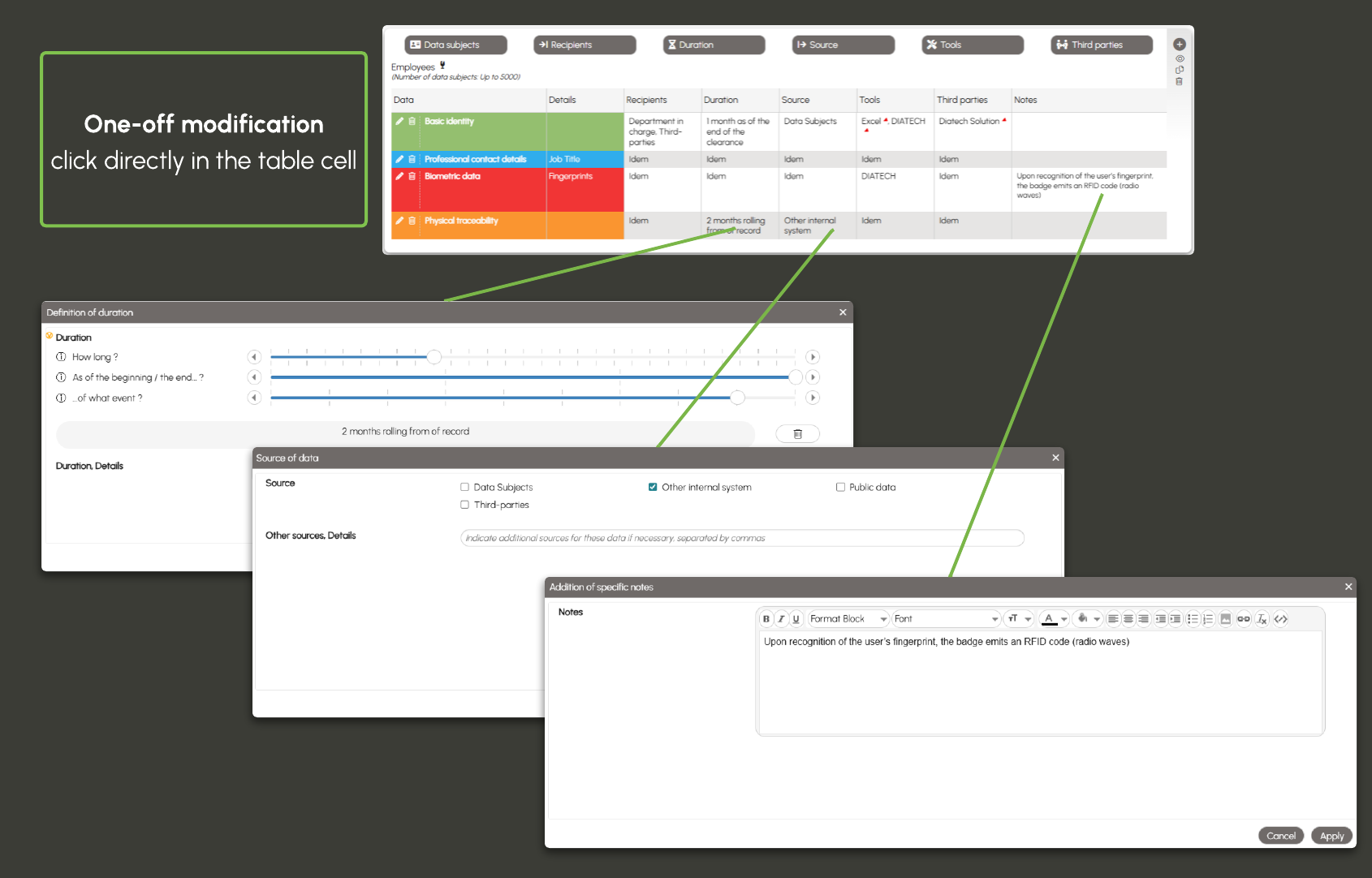
- One-off modification: click directly in the table cell you want to edit. A window opens, allowing you to select another value or add a note.
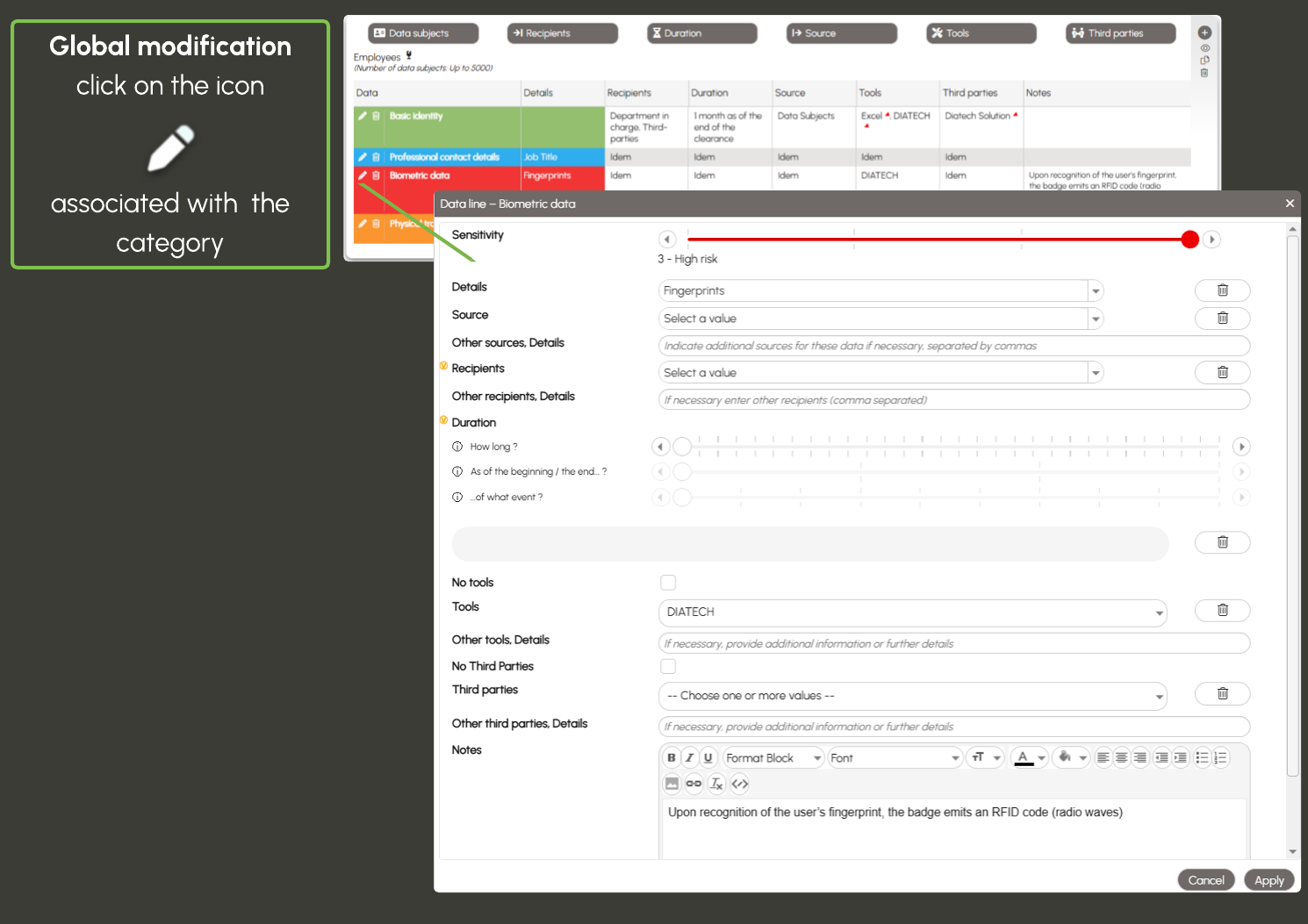
- Global modification by category: click on the pencil-shaped icon associated with the category. A dedicated window opens, allowing you to modify all values and notes for that data category.