
Bookmark your favorite layouts.
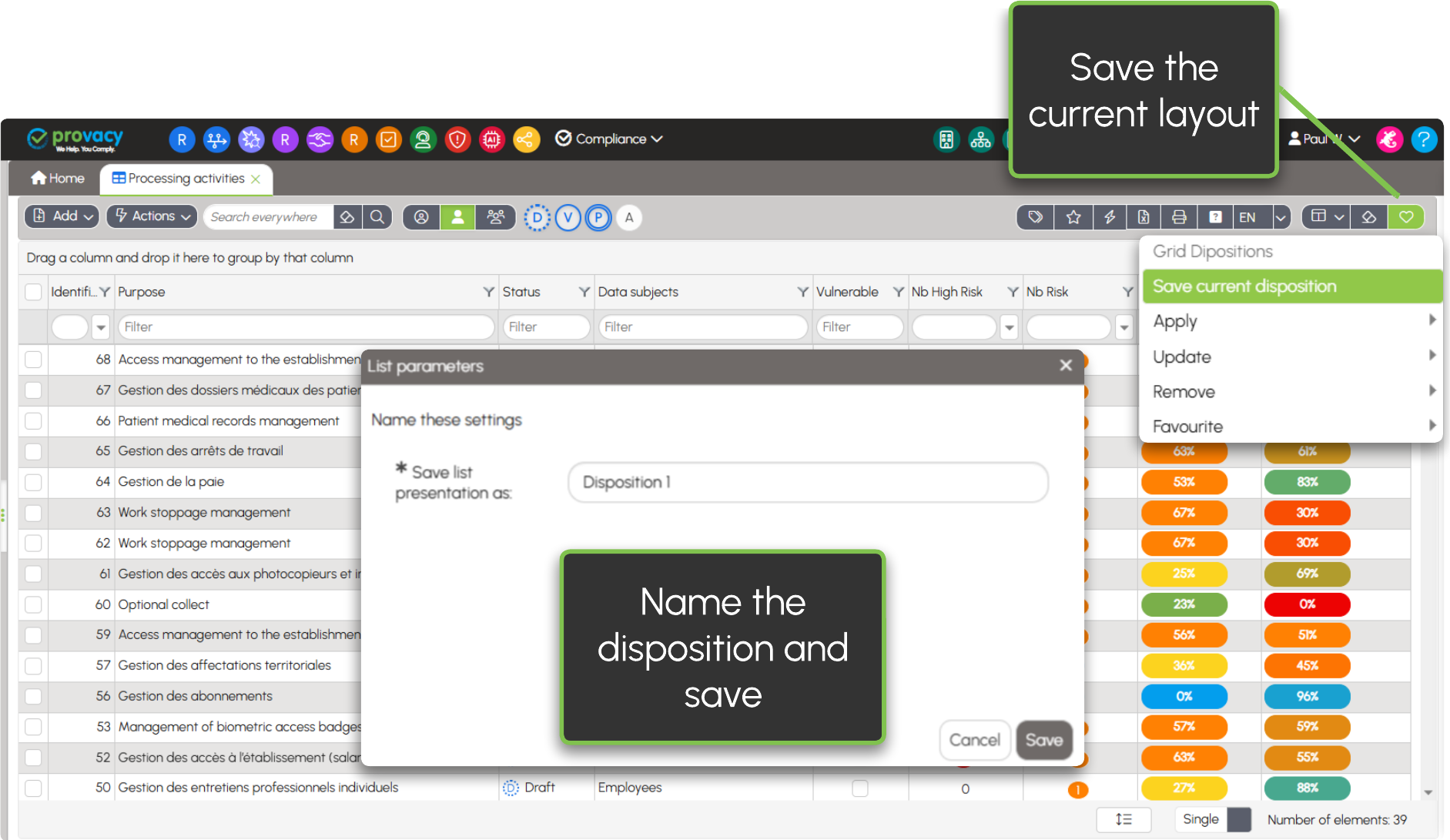
After selecting your columns, adjusting their width (1), changing their order (2), and adding filters or sorting rules, you obtain an ideal layout (only groups are not saved). This feature allows you to keep it for future use.
Apply a saved layout
You can save as many layouts as needed.
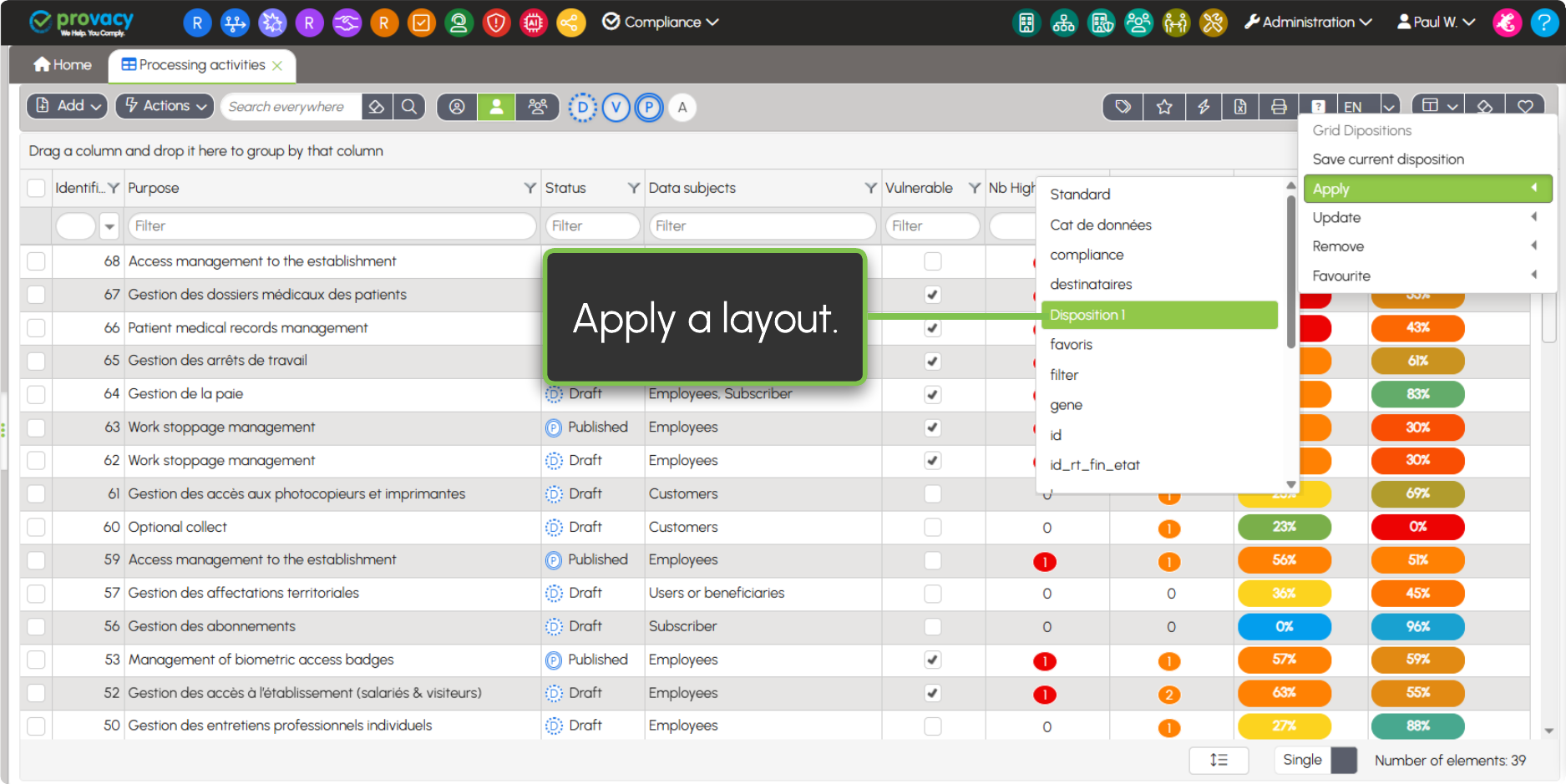
To update a saved layout, apply it, modify it, then select Update.
You can keep a default display layout by selecting it as Favourite.
1 To adjust column width, place the cursor between two column headers, then drag it left or right (as in Excel).
2 To reorder columns, click and hold the header, then drag it left or right to move the column where you want.