Action plans based on assessments
Assessment fields
Assessment fields allow you to evaluate a compliance point using a four-level slider, identified by a color code:
- 🔴 Non-compliant
- 🟠 Partially compliant
- 🟢 Compliant
- 🔵 Best practice
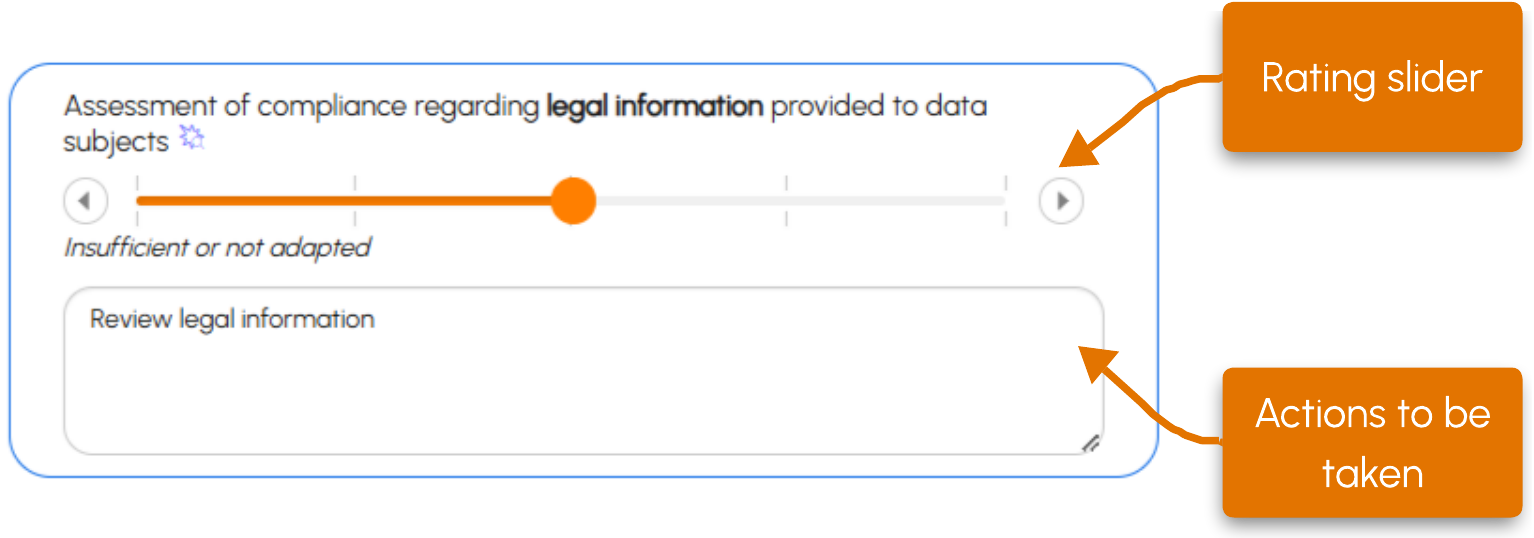
A text field allows you to specify, if necessary, the actions to be taken or the elements supporting the assessment.
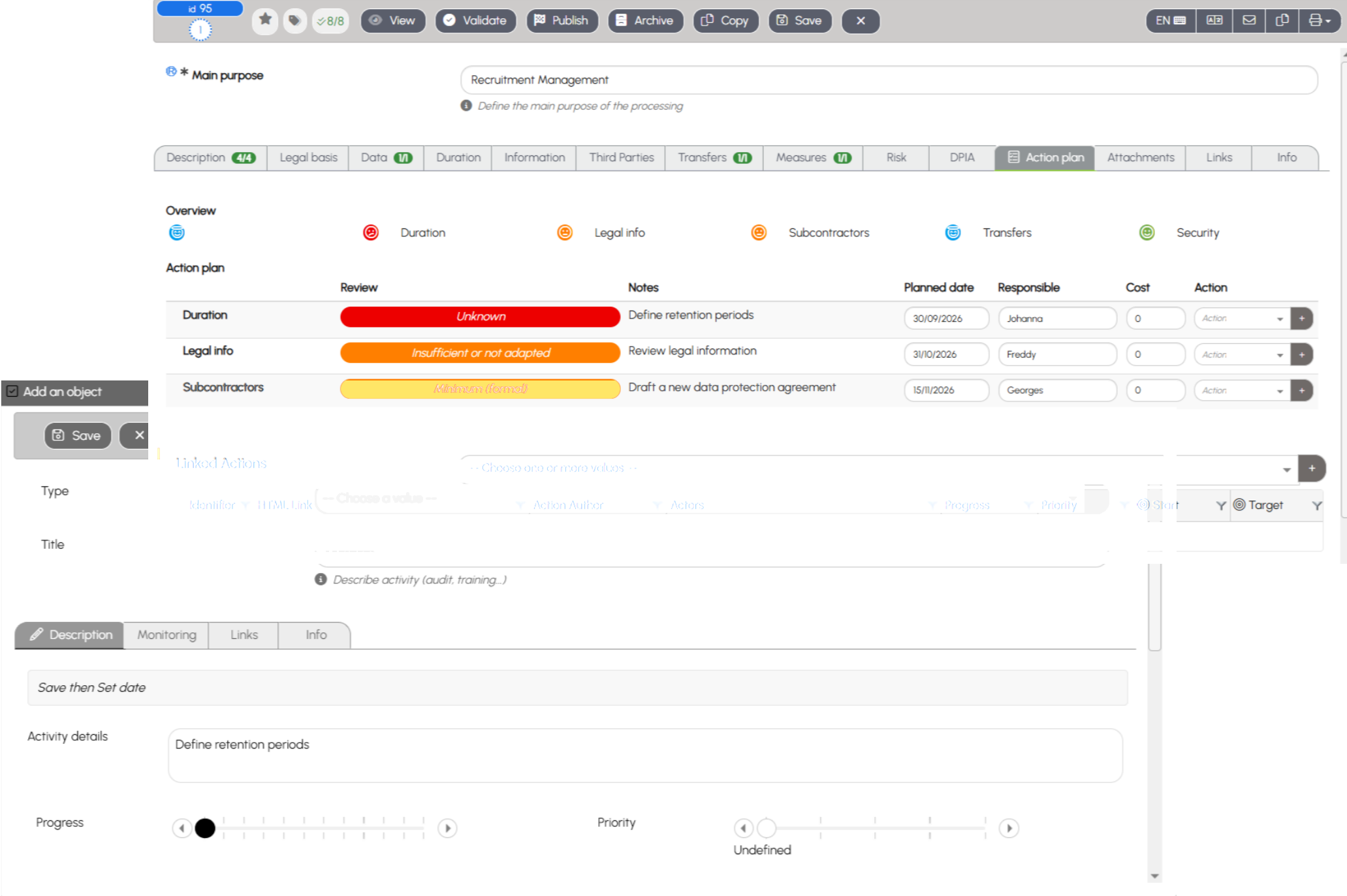
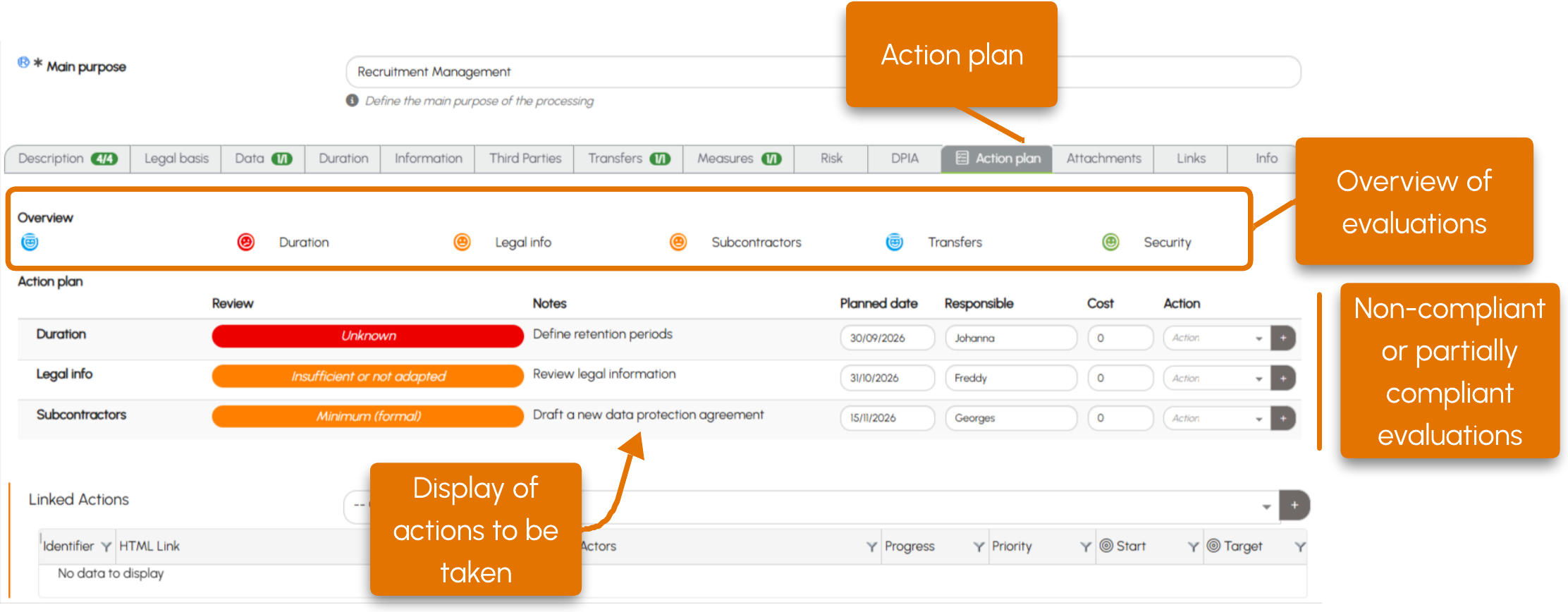
Action plan
The Action Plan tab brings together all assessments completed for the form. It first provides an overview, with a color code that allows you to quickly identify their results:
 Assessment not completed
 Non-compliant
-
 Partially compliant
  Compliant
 Best practice
Non-compliant and Partially compliant assessments are then grouped in an Action Plan table to structure compliance actions.
For each item, you can enter:
- a target compliance date;
- a person responsible;
- a cost.
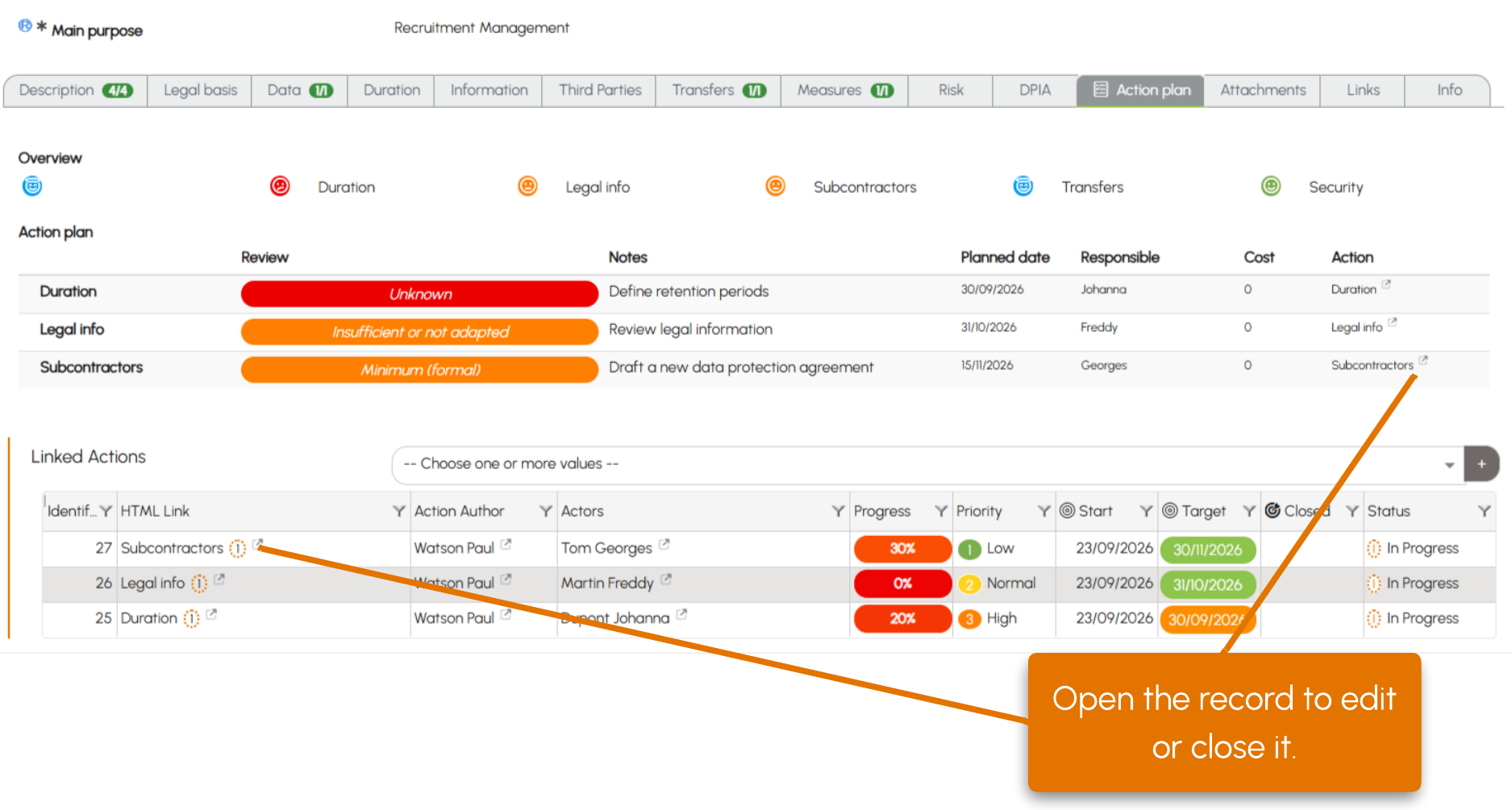
Linked actions
For more comprehensive tracking, the action button allows you to create a linked action. You can then define participants, priorities, progress, follow-up dates and email reminder notifications, or add documents.