Data Subjects, Recipients, Data Sources
To customize data subject categories, recipients, or data sources, simply manage the lists provided.
You can:
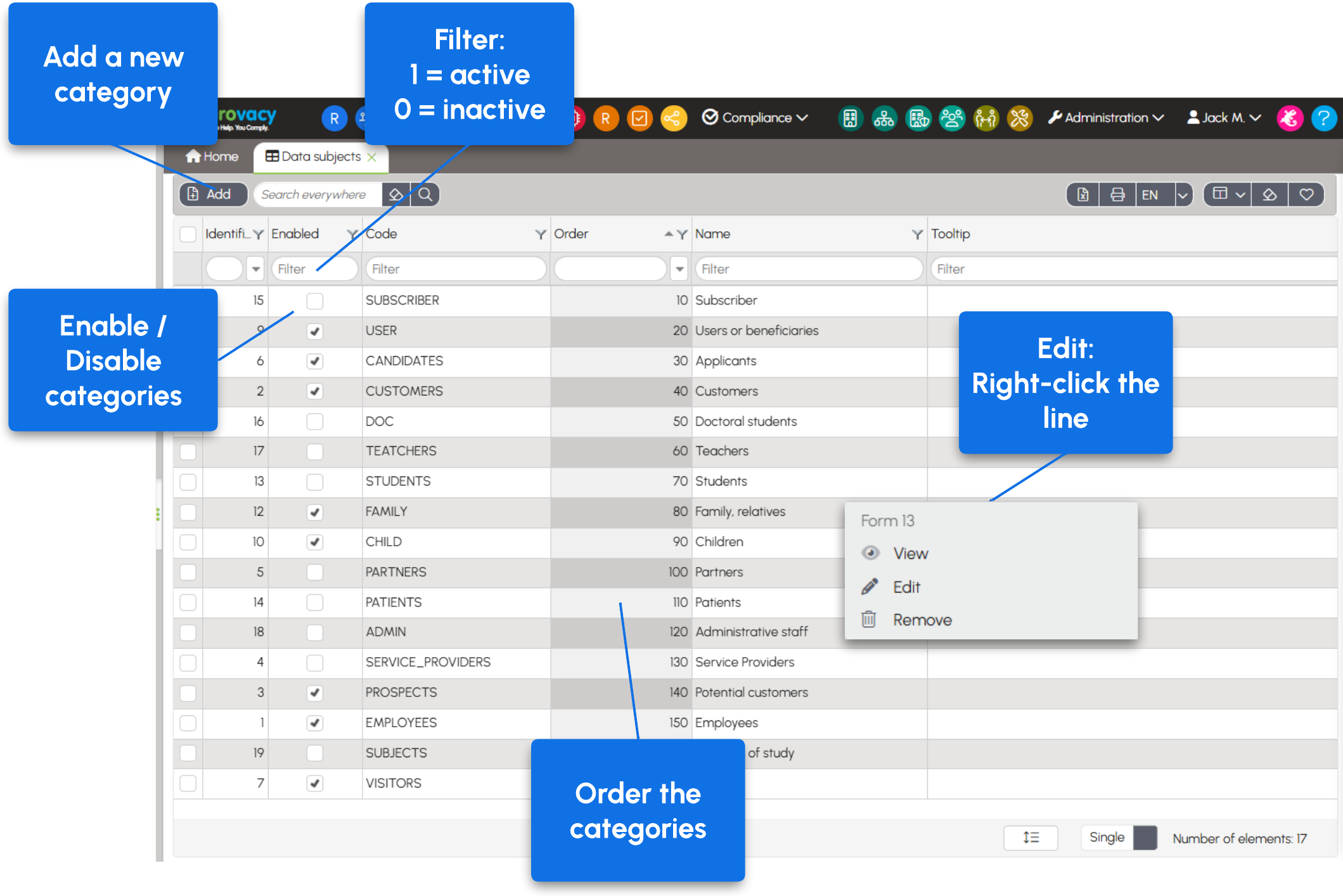
- add a new entry; As a convention, codes are written in uppercase, without spaces or special characters, except for underscores (
_). - edit an existing entry by right-clicking the row and selecting Edit;
- enable or disable an entry by checking or unchecking the corresponding box directly in the list.
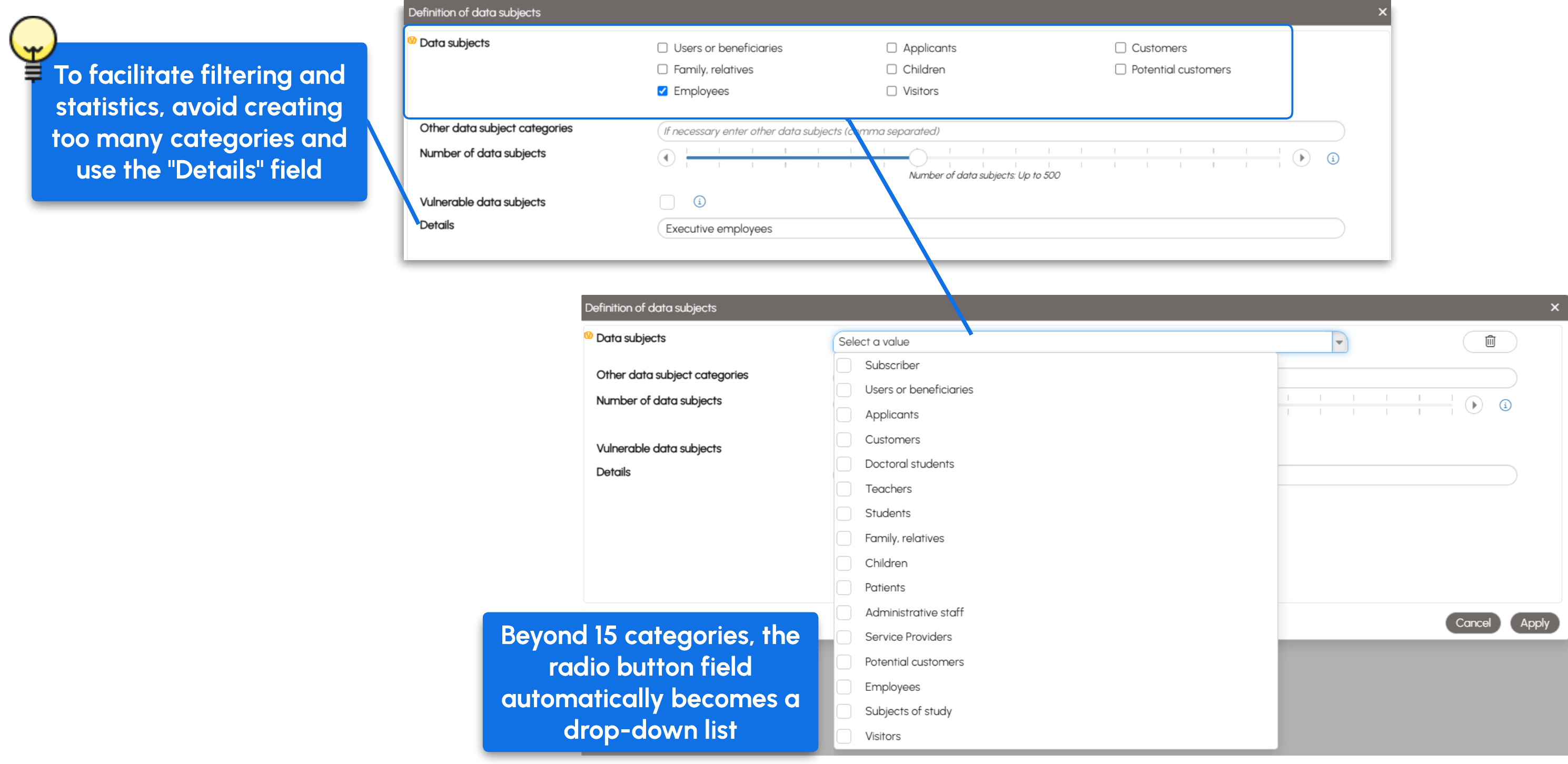
When more than 15 categories are enabled, the radio button field automatically changes to a drop-down list.
Tip: use broad categories and the detail fields to provide additional information. This makes it easier to filter Processing Activities and generate statistics.
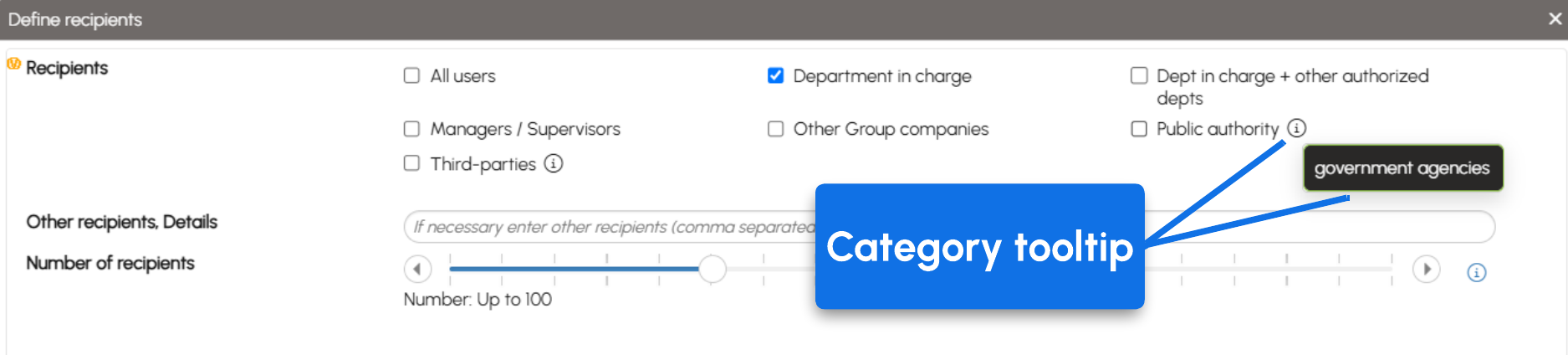
The Tooltip field displays help text when hovering over the information icon ⓘ.
🌐 Multilingual instances: if you modify a label, remember to provide its translation in the other available languages.
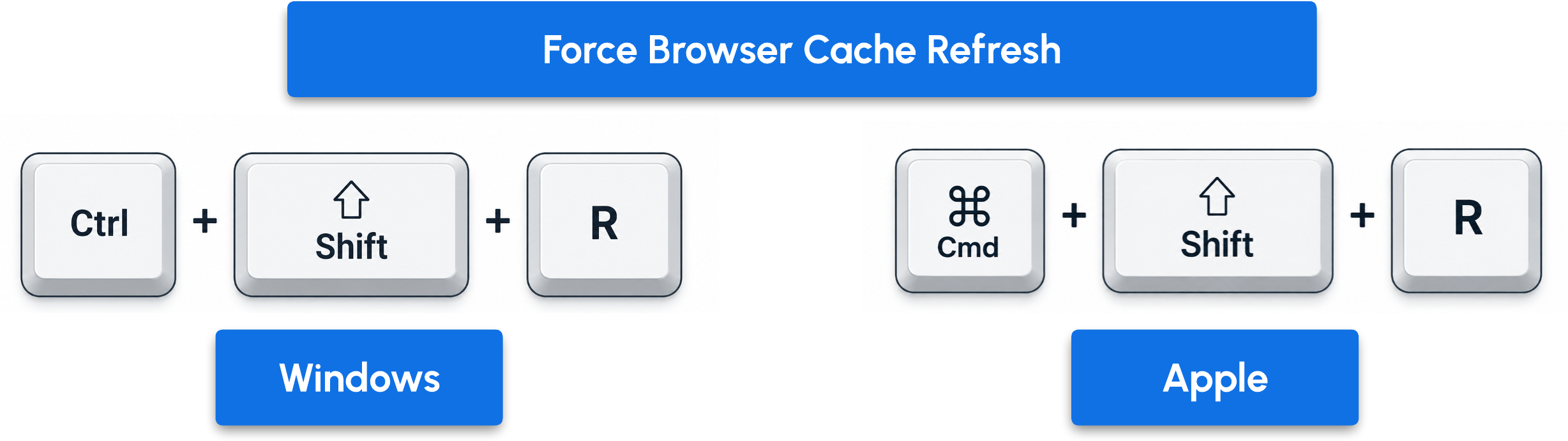
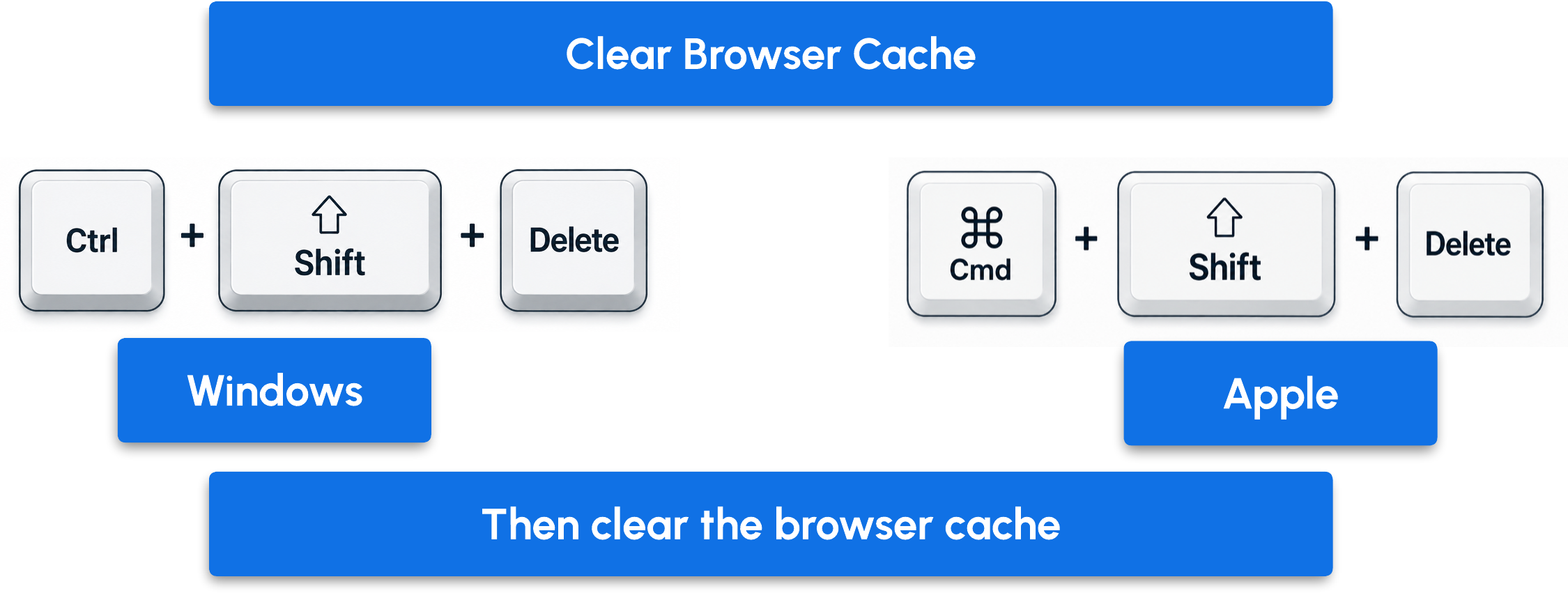
⚠️ Important: for your changes to take effect in the forms, force a browser refresh using the Ctrl + Shift + R shortcut. If your changes are not displayed, clear your browser cache.