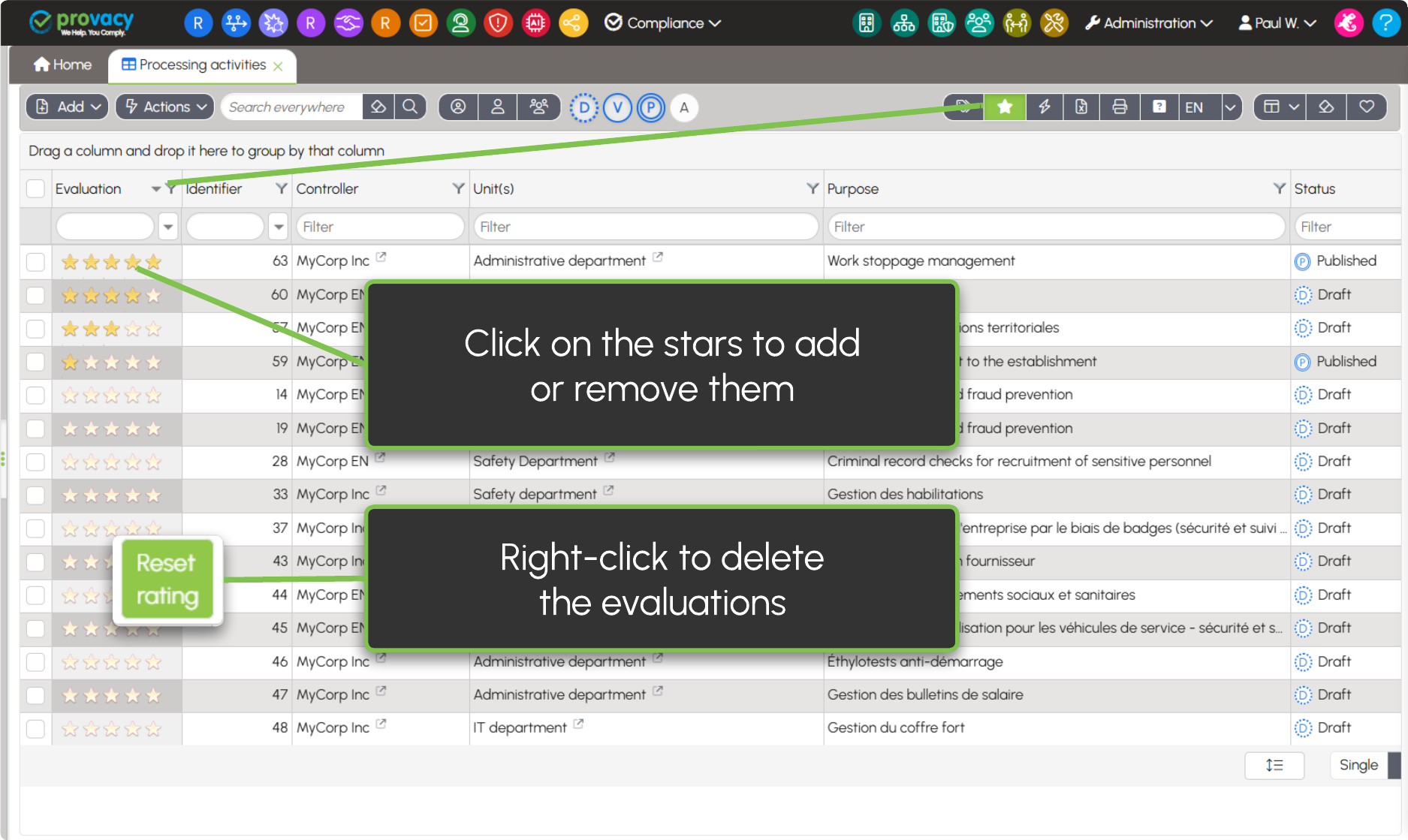
Display evaluations or favourites
The My Favourites feature allows you to highlight your content and manage your priorities. When this control is activated, the Evaluation column is displayed and forms are automatically sorted by evaluation order.
This feature is available by default on the main forms. It can also be removed from or added to other forms on request via Provacy Support.
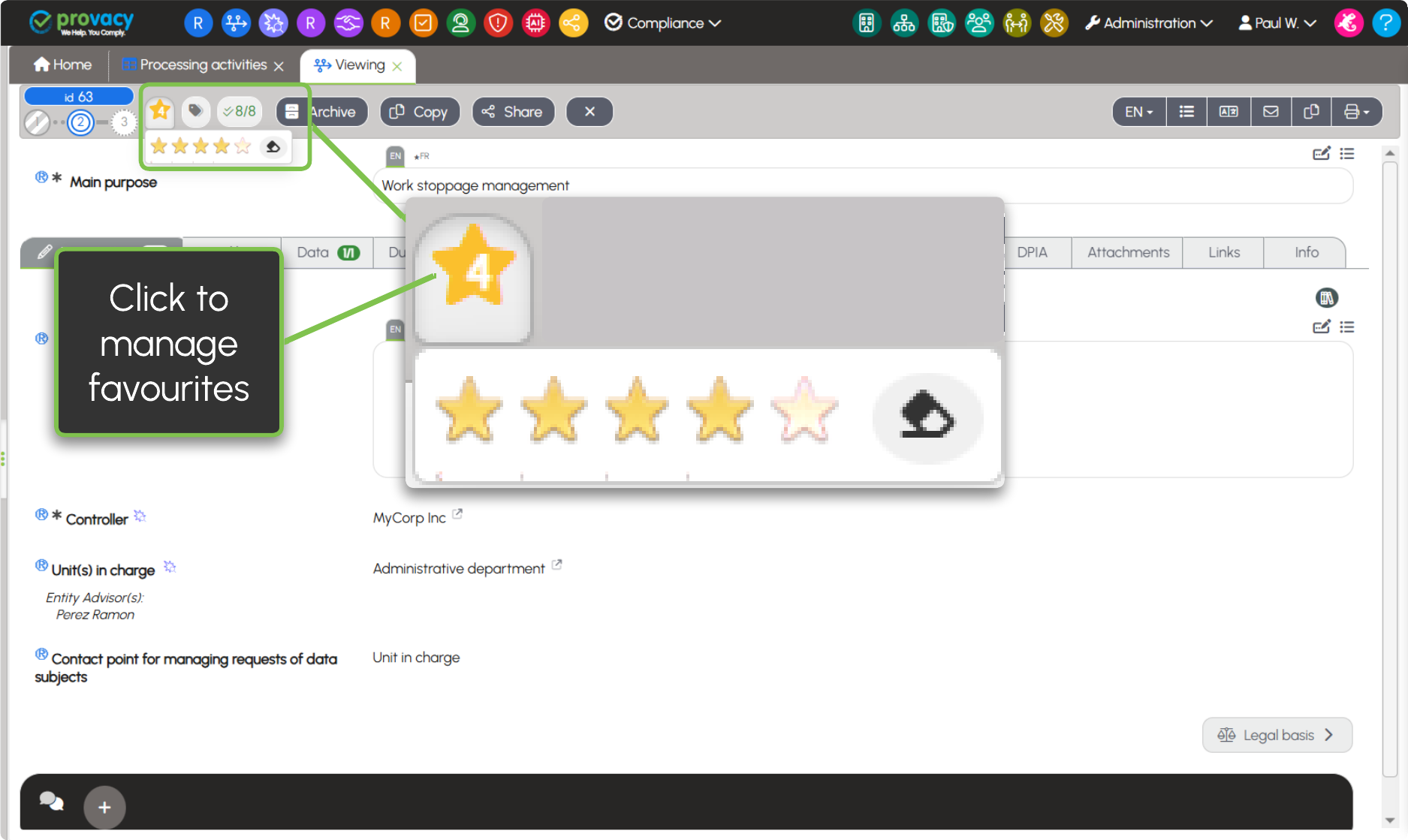
Manage the Favourites from the forms
Sidebar
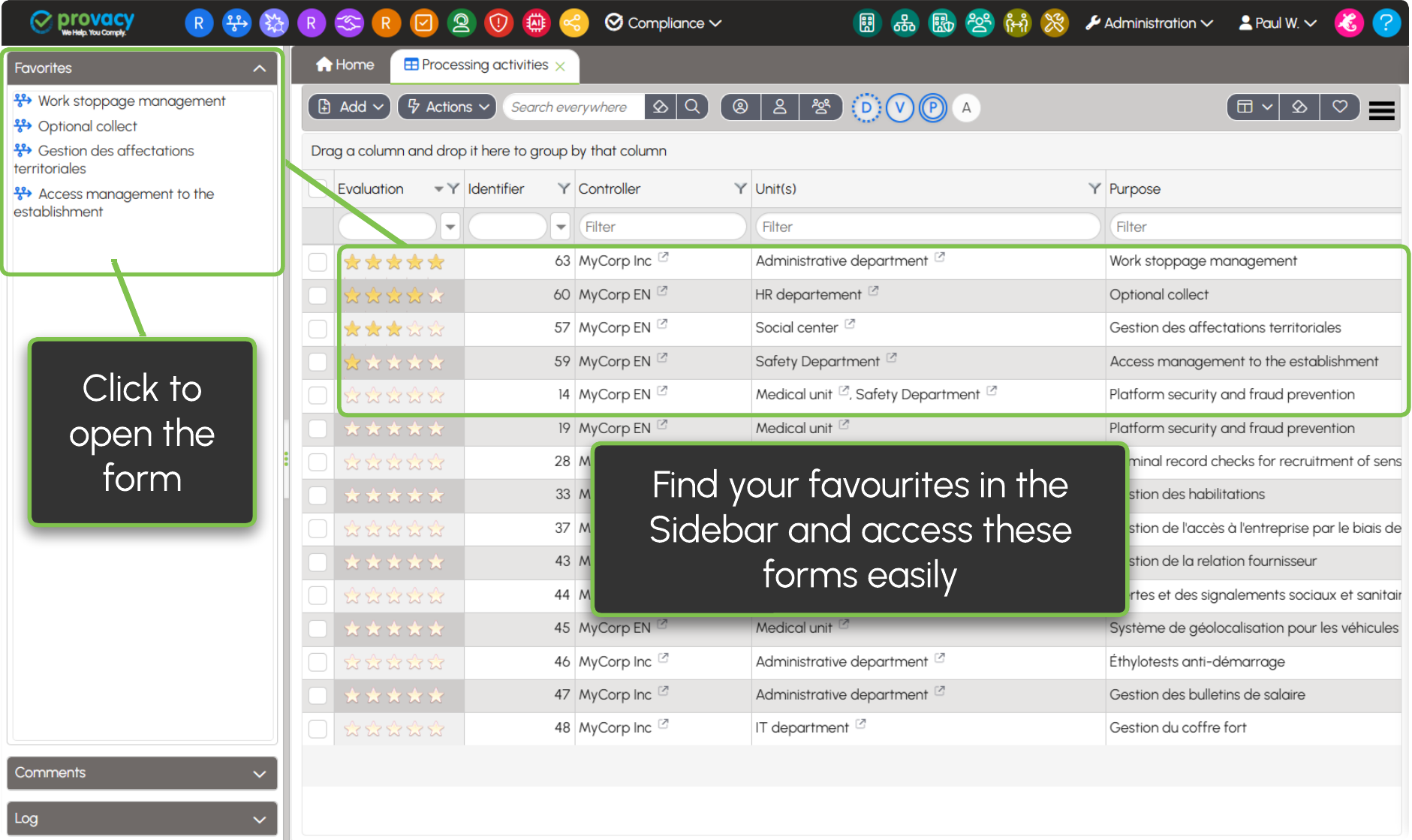
When an evaluation is assigned to a form, it is automatically added to the Favourites section of the left Sidebar. This Sidebar is accessible to DPOs and DPO Assistants and can also be made available to other roles on request. From the Sidebar, a single click allows users to open a favourite form directly.