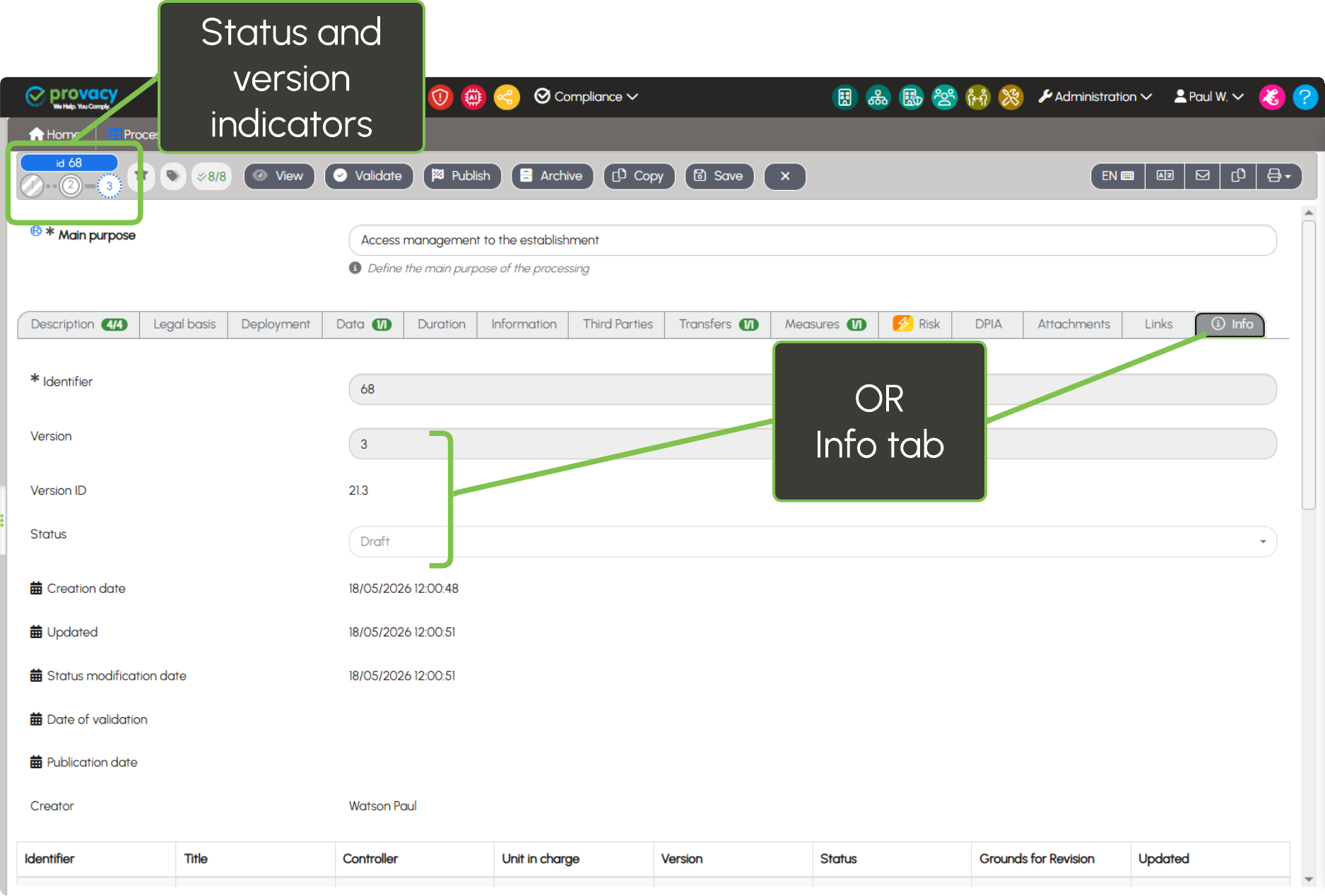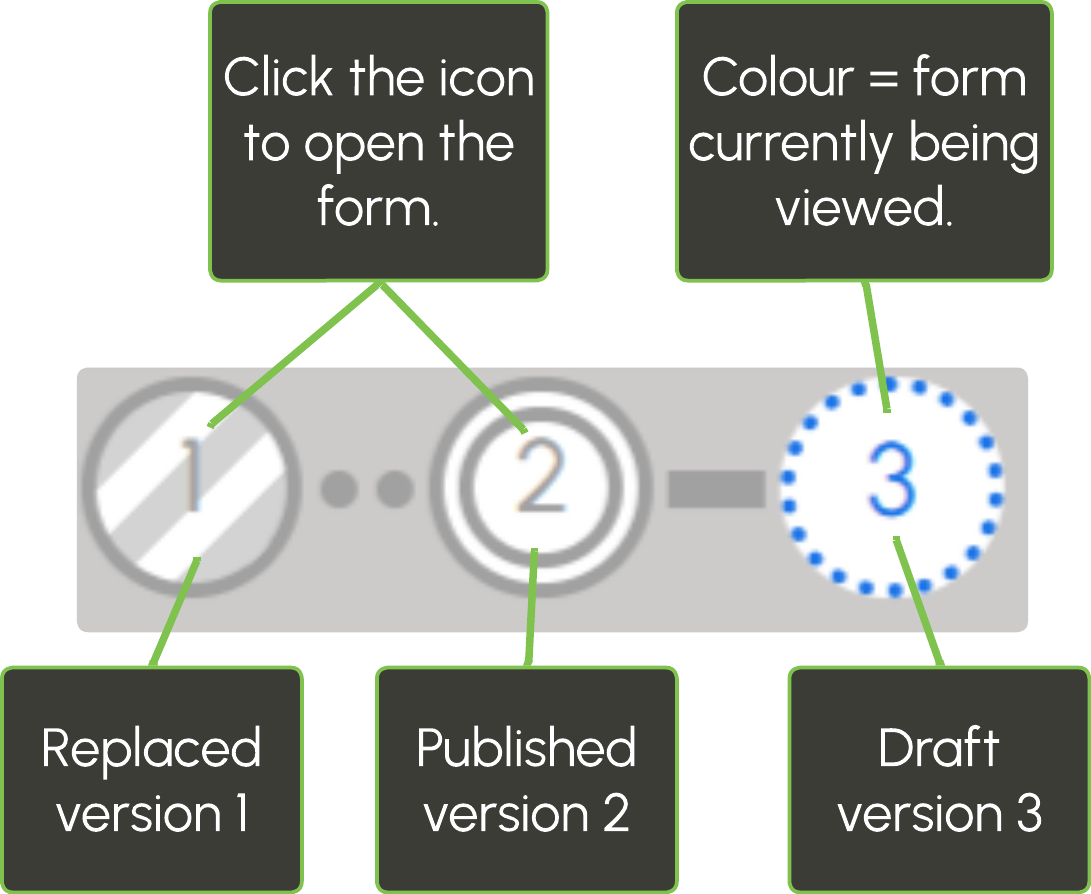
Filter forms by status
Forms display different statuses reflecting their progress within the workflow: Draft, Validated, Published and Archived. A form moves from one status to another depending on the actions performed on it.
By default, all statuses are displayed except archived forms.
The status name is displayed when hovering the mouse over the filter controls. Simply click a control to show or hide one or more statuses:
Form status and version
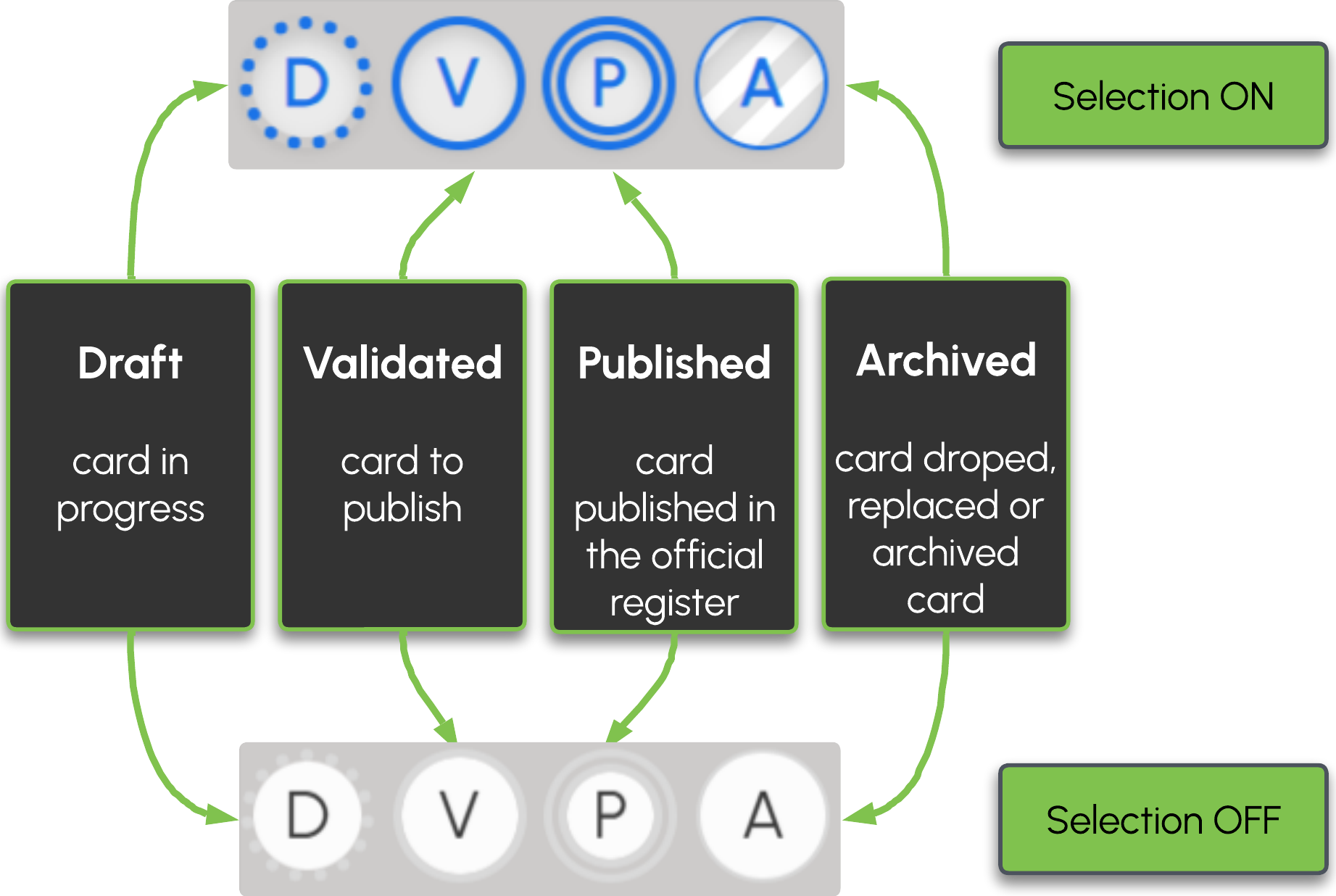
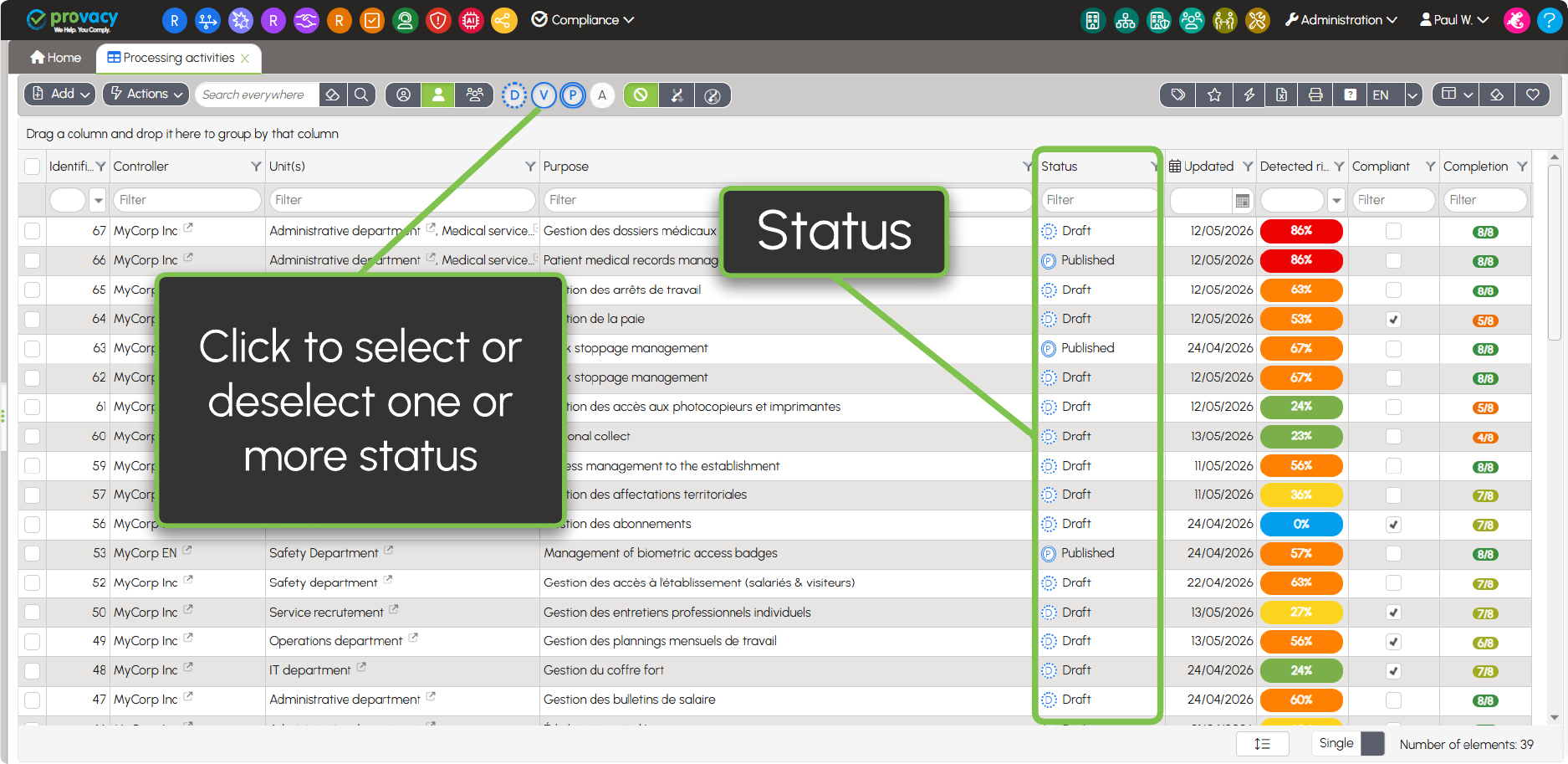
From the form, users can immediately view the form status in the toolbar, at the top left.
The icons make it possible to identify at a glance:
- the form status through colour coding;
- the form version (V1, V2, V3, etc.).
The status details and version number are displayed in a tooltip when hovering the mouse over them.
To open another version of the form, simply click the corresponding icon.
This information is also available in the form’s Info tab.